
April 28, 2026 · 12 min read · By MagicBG Team
Last updated: September 21, 2026
How AI Background Removal Works: A Plain English Guide
How AI background removal actually works in 2026 — segmentation models, WebGPU, and why removing backgrounds is now free, instant, and runs in your browser.
In 2018, removing the background from a single photograph cleanly took either 30 minutes of patient Photoshop work or a $0.20 API call to a paid service. By 2026, the same task is a free browser feature that completes in under three seconds and never sends your photo to a server. The cost curve collapsed by roughly five orders of magnitude in eight years. What actually changed?
The honest answer combines three independent revolutions: better neural networks for image segmentation, dramatically smaller models thanks to knowledge distillation, and faster device hardware that can run those models locally. None of these alone would have made background removal free; all three together did. This article explains how each piece works, in plain English, no math required.
Step 1 — Segmentation: deciding what is "subject"
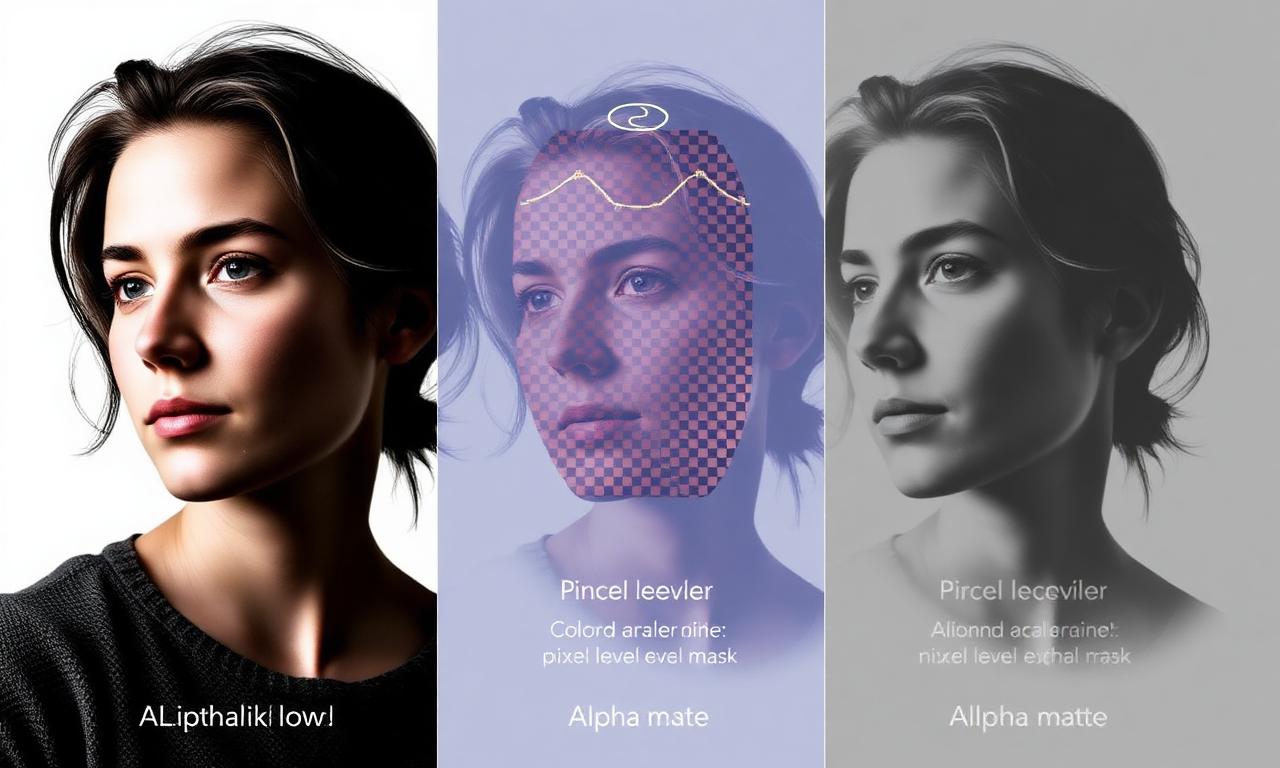
Image segmentation is the task of labeling every pixel in an image as "subject" or "background" (sometimes more categories, but for our purposes two is enough). It sounds simple. It is not. A model has to handle hair that becomes semi-transparent at the edge, glass that lets the background show through, motion blur, mirror reflections, and lighting that changes the apparent color of the subject mid-pixel.
Modern segmentation models are convolutional neural networks (CNNs) or transformer-based architectures trained on hundreds of thousands of human-labeled images. The architectures that dominate this space in 2026 include U²-Net, MODNet, and BiRefNet — the last of which has multiple open-source releases on GitHub. The models output a "mask": a grayscale image where black means background, white means subject, and grey values in between mean partial transparency.

Step 2 — Edge refinement (the "matting" step)
The hard part of background removal is not finding the subject. It is the edge between subject and background, especially for hair, fur, and semi-transparent fabrics. A pixel of hair against a sky might be 30% subject, 70% sky. A binary "subject or background" decision throws this information away and produces the jagged "sticker" look that early background removers were notorious for.
Image matting is the more rigorous version of segmentation that estimates an alpha value between 0 and 1 for every pixel. The leading open-source matting model in 2026 is MODNet, often used as a refinement pass after a coarse segmentation. The result is the soft, photo-realistic edges you get from the best modern tools — no halos, no jagged steps, no "sticker" effect.
When matting fails — usually on glass, water, or motion-blurred subjects — the result is the kind of fringe artifact we cover in how to fix jagged edges after background removal. The cleanup techniques there work because they manipulate the same alpha channel the matting model produced.
Step 3 — Compositing
Once you have a clean alpha mask, compositing is trivial. The original image is multiplied by the alpha (so transparent areas become invisible) and the result is written into a PNG with an alpha channel. That's it. The entire complexity of "background removal" lives in steps 1 and 2; step 3 is arithmetic.
Why it's free in 2026
The technology described above existed by 2018, but it ran on $5,000 GPUs in datacenters and cost real money to operate per request. Three things changed:
Models shrunk by 100×
A technique called knowledge distillation trains a small "student" network to mimic a large "teacher" network on a fixed task. For image segmentation, distillation typically takes a 500 MB research model and produces a 5 MB production model that keeps most of the quality. Combined with quantization (storing model weights as 8-bit integers instead of 32-bit floats), modern background removal models fit in roughly 30–50 MB — small enough to download once and cache in your browser.

WebGPU made browsers fast enough to run them
For ten years, browsers could only run neural networks on the CPU, which was 50–100× too slow for segmentation. WebGPU (specified by the W3C, shipped in Chrome and Safari in 2023, generally available by 2024) gives JavaScript direct access to GPU compute. Pair it with ONNX Runtime Web or transformers.js from Hugging Face and a 50 MB segmentation model runs in under three seconds on a modern laptop or phone.
No server cost = no subscription needed
When the entire computation happens on the user's device, the operator doesn't pay for GPU time per request. There is no per-image cost to recover. This is why MagicBG, like a growing number of in-browser AI tools, can offer free use with no daily limit, without ads, watermarks, or accounts. The same architecture pattern is documented in Google's WebGPU compute primer and in countless Hugging Face Spaces.
A short tour of the models behind the scenes
- U²-Net (2020): The first widely-used open-source model for salient object detection. Strong baseline, still in production at many tools.
- MODNet (2020): Specialized for portrait matting; excellent on hair edges.
- RMBG-1.4 / RMBG-2.0 (2024–2025): BRIA AI's open-weight models, optimised for general-purpose background removal in production.
- BiRefNet (2024): Two-branch refinement architecture; arguably the highest-quality open model as of 2026.
- SAM and SAM 2 (2023, 2024): Meta's "Segment Anything" models — overkill for one-class background removal but excellent for interactive cutouts where you click the subject.
Most browser-based background removers in 2026 use a distilled and quantized variant of one of these models, served as an ONNX file weighing tens of megabytes — the quantized IS-Net file MagicBG uses is about 44 MB. You can browse a current cross-section of available models on Hugging Face's image segmentation hub.
What AI background removal still struggles with in 2026
- Glass and transparent objects — by definition the background literally shows through them. No segmentation model has solved this without explicit ground-truth alpha labels in training data.
- Water and reflections — for the same reason; partial transparency plus colour mixing.
- Motion blur — the model can't decide where the edge is when the edge itself is fuzzy across many pixels.
- Mirror images — the reflection looks like a real subject; many models will keep both.
- Extremely low contrast — a white cat against snow is asking too much.
For these edge cases, a manual cleanup pass in Photopea or a Photoshop layer mask is still the gold standard. The AI gets you most of the way; the rest is patient mouse work.
The privacy implication people overlook
Server-side background removal services receive a copy of every image you process. For a casual selfie this is harmless. For a passport photo, an ID card, a confidential product prototype, or a child's face, it is not. In-browser tools that use WebGPU never transmit the image off the device — the model weights flow down once, and your photos never flow up. This shift is one of the most important quiet consequences of the on-device AI era.
Practical tips that follow from the math
- Higher resolution helps — more pixels at the boundary give the matting model more information to work with.
- Contrast matters more than colour — a brown cat against a brown couch is harder than a brown cat against a green wall.
- Even lighting beats dramatic lighting — high-contrast shadows can confuse the model into segmenting the shadow as part of the subject.
- Re-running rarely fixes a bad source — the model is deterministic. If it failed once, it will fail again. Fix the source.
The same logic powers our advice in how to remove background on iPhone: shoot in good light, use Portrait Mode for the depth map, and let the AI do the rest.
See it in action
Open the MagicBG background remover, drop any photo, and watch the model run in real time. The first run downloads the model (about 44 MB) and caches it locally; every cutout after that is essentially instant. You're now using the same architecture this article described, on your own device, without paying anyone.
Where this fits in the workflow
If you want to see the stages described here on your own photo, run one through the browser background remover and zoom into the hair edges — that is the matting pass doing its work.