
September 22, 2026 · 9 min read · By MagicBG Team
Last updated: September 22, 2026
Last verified: September 22, 2026 · Official sources: eBay Help Center · eBay Seller Center
eBay Image Requirements: Complete Listing Photo Guide
eBay image requirements explained: verified resolution, file size, formats, backgrounds, prohibited content and a practical listing checklist.
eBay publishes both hard image requirements and presentation recommendations. This guide keeps them separate so you can distinguish a minimum upload rule from advice about how a listing photo generally looks best.
One current documentation conflict deserves attention: eBay's photo uploader Help page states a 12 MB maximum per image, while an older eBay export page states 7 MB. This guide reports both rather than silently choosing one.
eBay image requirements at a glance
| Area | What eBay states | Status |
|---|---|---|
| Minimum resolution | 500 x 500 px | requirement |
| Recommended resolution | About 1600 x 1600 px | recommendation |
| Maximum file size | 12 MB per image via the photo uploader | requirement |
| Older file-size statement | An older eBay export page states 7 MB | not specified |
| Photo count | Up to 24 free photos for most categories; 12 per variation for multi-variation listings | feature |
| Accepted formats | JPEG, PNG, GIF, TIFF and BMP; animated GIFs are not accepted | requirement |
| Background | Use an uncluttered, neutral background; white is generally best, while darker backgrounds can suit shiny or reflective items such as jewelry | recommendation |
| Aspect ratio | 1:1 or 16:9 generally look best | recommendation |
| Text, logos, borders and watermarks | Not allowed | requirement |
| Stock photos for condition evidence | Not allowed for used, damaged or defective items | requirement |
Sources: eBay Help Center — Adding pictures to listings and eBay Seller Center — Photo tips.
eBay main image rules and recommendations
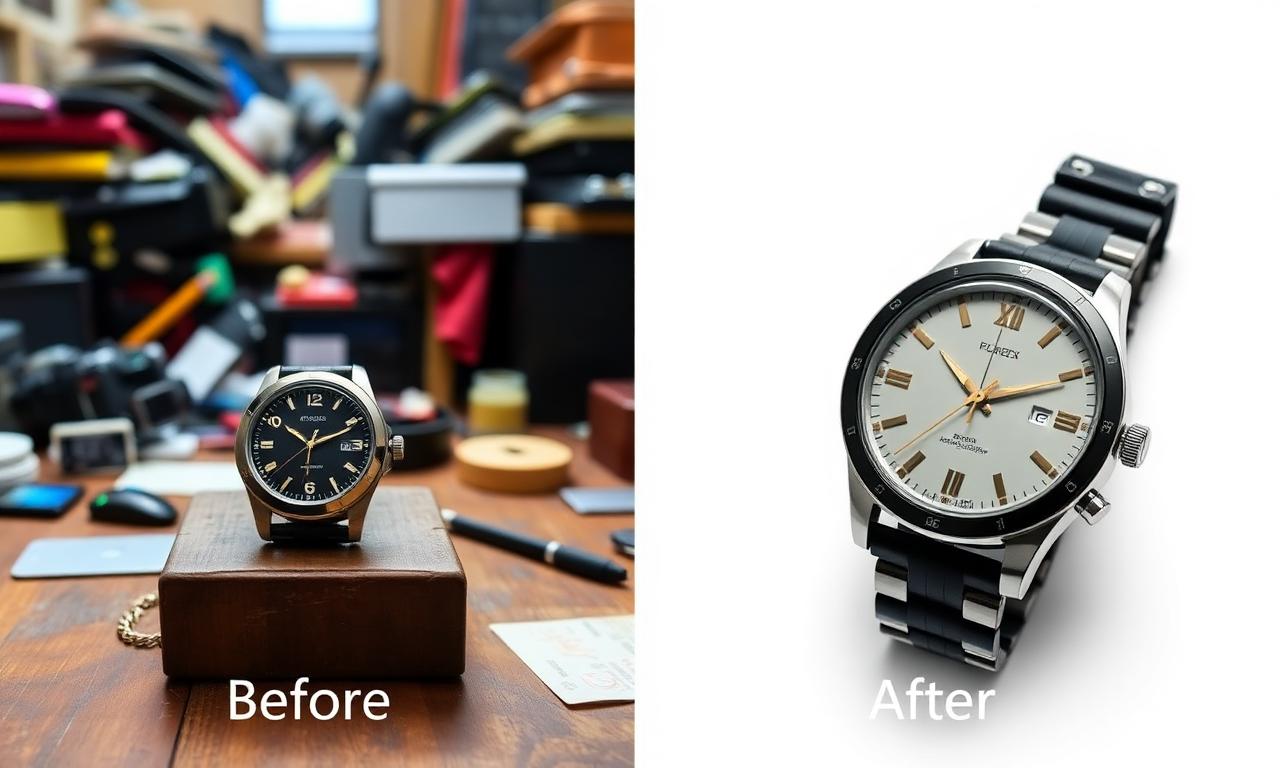
Images must be at least 500 x 500 px. eBay recommends about 1600 x 1600 pxand says 1:1 or 16:9 aspect ratios generally look best. Those larger dimensions and ratios are recommendations, not the 500 x 500 px minimum requirement.
eBay recommends an uncluttered, neutral background and says white is generally best. It also notes that a darker background can work better for shiny or reflective items such as jewelry.
Text, logos, borders and watermarks are prohibited. Stock photos cannot be used as condition evidence for used, damaged or defective items.
eBay image size, file size and formats
The current photo uploader documentation states a maximum of 12 MB per image. An older eBay export page states 7 MB. Because the official pages conflict, check the uploader guidance you are using rather than treating the older figure as the current universal limit.
eBay accepts JPEG, PNG, GIF, TIFF and BMP. Animated GIFs are not accepted. Most categories can use up to 24 free photos, while multi-variation listings can use 12 per variation; photo availability may vary by category.
Common eBay listing photo mistakes
- Uploading an image below the 500 x 500 px minimum.
- Adding text, a logo, a border or a watermark to the image.
- Using an animated GIF even though eBay accepts only non-animated GIF images.
- Using a stock photo to show the condition of a used, damaged or defective item.
- Assuming 7 MB and 12 MB are interchangeable without checking the relevant upload page.
- Using a busy background instead of the recommended uncluttered, neutral presentation.
eBay listing photo checklist
- ☐ Every image is at least 500 x 500 px.
- ☐ The working target is about 1600 x 1600 px (eBay recommendation).
- ☐ The file follows the uploader's 12 MB maximum, with the older 7 MB statement noted.
- ☐ The format is JPEG, PNG, non-animated GIF, TIFF or BMP.
- ☐ The background is uncluttered and neutral.
- ☐ There is no text, logo, border or watermark.
- ☐ Used, damaged or defective-item condition is shown with actual photos, not stock photos.
- ☐ Photo count fits the listing category and, where relevant, the 12-per-variation feature.
Next steps
Prepare the image first, then check the listing package before publishing:
- Create a clean white background when it suits the item.
- Resize and optimize marketplace images.
- Prepare a complete marketplace listing.
- Compare the rules in the Amazon product image requirements guide.
- Compare all five marketplace image requirements side by side.
- Check an image against these rules with the free Image Compliance Checker.