
Social posts and thumbnails
Isolate a subject for social posts, channel thumbnails and campaign drafts, then place the cutout over a background that suits the layout.
Free tool
Drop in a photo and get a clean cutout as a transparent PNG. The whole process runs inside your browser, so the image you drop is never uploaded to a server.
The free in-browser cutout is processed and downloaded at up to 1024 px on the longest side.
Need larger files or batches? See MagicBG Pro.
Professional-grade cutouts that run entirely in your browser. Your photos never leave your device.
PNG, JPG, WebP or HEIC — up to 15MB
Three steps, no editing experience required. Nothing is queued on a server, so the only thing that affects the wait is your own device.
Drop a JPG, PNG, WebP or HEIC file into the upload area, or click to browse your device. Files up to 15MB are accepted, and very large photos are scaled down automatically so the cutout finishes faster.
A segmentation model loads into your browser and predicts which pixels belong to the subject and which belong to the background. The first run downloads the model; after that it is cached, so later images start immediately.
Keep the transparent result or pick a solid colour such as white, black or studio grey. Download the finished image as a PNG, with no watermark added to the file.
A cutout is rarely the finished asset — it is the flexible starting point that lets one photo become several different images.
Isolate a subject for social posts, channel thumbnails and campaign drafts, then place the cutout over a background that suits the layout.
Use a cutout to test layouts and backgrounds before completing detailed retouching in your usual design or photo editor.
Create transparent PNGs that sit cleanly on document pages, presentation slides and other layouts without a visible background box.
Make quick cutouts and previews while preparing a product listing, then check the marketplace's required image dimensions before publishing.
Marketplace listing images often need larger files, so check each marketplace's requirements.
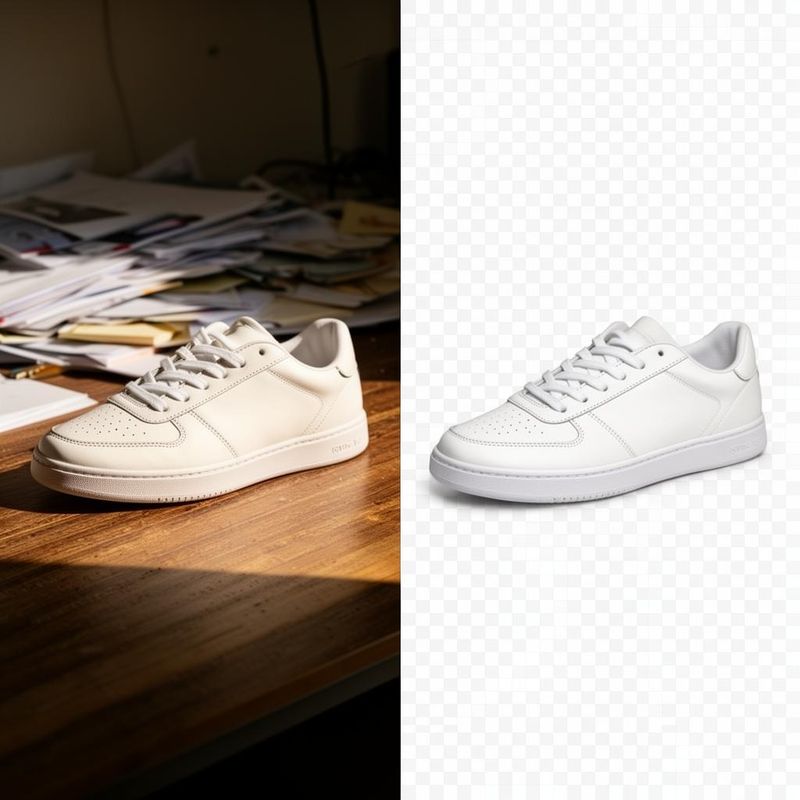
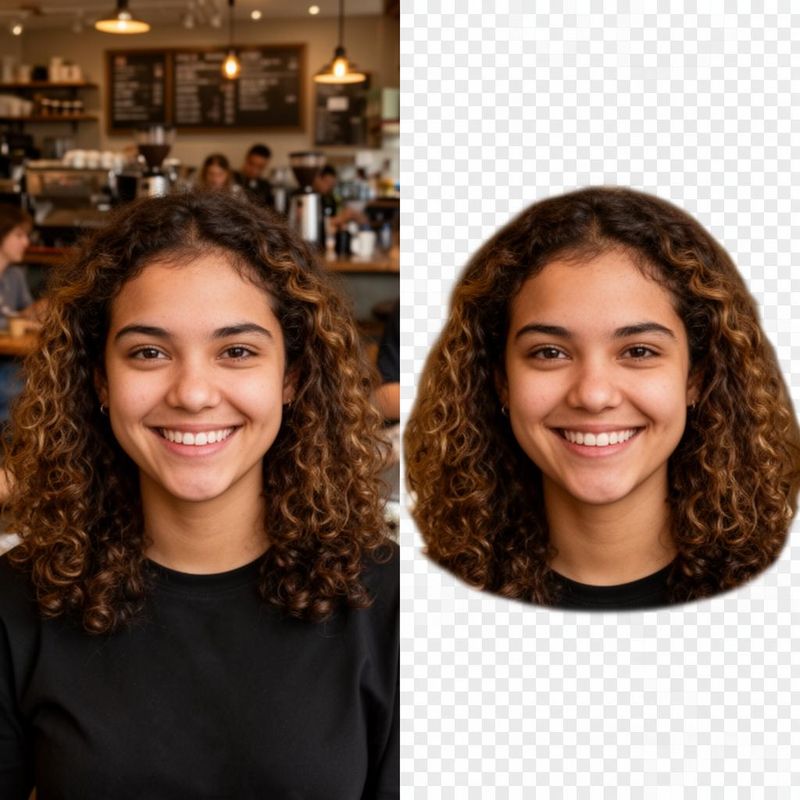
Drag each slider to compare the original photo with the MagicBG cutout. Products with a firm outline, such as the sneaker, separate cleanly; portraits are a harder case because hair edges carry fine detail, so it is worth zooming in before you publish.
Background removal here is not an upload-and-wait service. When you open this page, your browser downloads a segmentation model and runs it locally, which is why the first cutout takes longer than the ones that follow — the model is being fetched and cached, not your photo. Your image stays in the page: it is read from disk, drawn to a canvas, processed and written back out as a PNG download. It is never transmitted to MagicBG. The model files come from a third-party CDN; your photo is never part of that request. Other parts of MagicBG — photo analysis, listing copy and AI scene generation — do send the content you choose to a remote AI provider, and those steps are always identified before they run. See the privacy policy for the full detail.
You can import JPG, PNG, WebP and HEIC files. The result is downloaded as a PNG, either transparent or with the background colour you picked. PNG is used because it is the common format that stores real transparency.
No. The free browser-based image tools do not add a watermark, and the downloaded PNG is the full-resolution result of the cutout at the size that was processed.
No account is needed for the background remover or the other browser-based image tools. An account is only required for features that use remote AI processing, saved listings and Pro features.
No. Background removal runs in your browser: the model is downloaded to your device and your image is processed locally, so the photo itself is never sent to MagicBG or to a third party. Other MagicBG features that analyse a photo or write listing copy do use a remote AI service, and those steps are identified before processing.
Transparent is the default. After the cutout finishes, leave the background selector on the checkerboard swatch and download — the PNG keeps its alpha channel. If you pick a colour instead, the transparency is filled with that colour before export.
Images up to 15MB are accepted. Photos larger than about 1024 pixels on the long edge are scaled down before processing, which keeps the cutout responsive on ordinary laptops and phones. If your file is rejected, re-export it as a JPG or PNG at a smaller size and try again.
Once you have the cutout, these are the usual follow-on steps depending on where the image is going.
Place the cutout on a plain white canvas, the background most marketplaces expect on a main product image.
Resize and export the image using presets for Amazon, Shopify, Etsy, eBay, Walmart and Facebook Marketplace.
A longer walkthrough covering edge quality, tricky subjects and when a manual edit is still the better option.
Go from the product photo to marketplace images plus a title, bullets, description and keywords in one export.