
May 19, 2026 · 13 min read
Etsy Product Photos 2026: Remove Backgrounds & Boost Sales
Etsy product photo background removal in 2026 — a free AI workflow handmade sellers use to lift conversions in the first 3 seconds. No Photoshop required.
Etsy crossed nine million active sellers in 2026, and the marketplace gets more crowded every quarter. When a shopper scrolls a search results page, the only thing that earns the click is the cover photo — and the cover photo that wins, almost without exception, is the one with a clean, distraction-free background. This guide walks through exactly why background removal matters for Etsy sellers in 2026, how to do it for free in your browser without installing Photoshop, and the exact specs Etsy's search algorithm and mobile app reward.
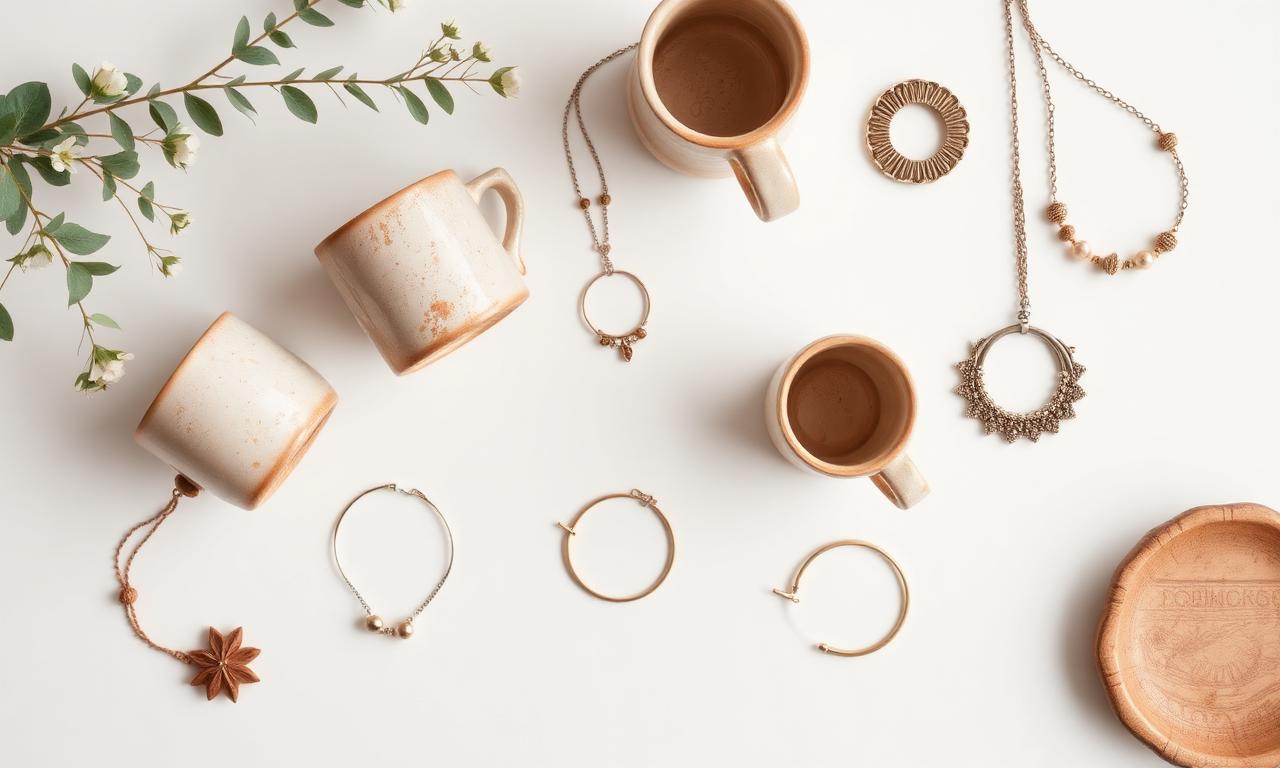
Why background removal matters more in 2026 than ever
Etsy's 2024 algorithm update — quietly rolled out alongside the redesigned mobile app — placed significantly more weight on click-through rate from search results. According to the official Etsy Seller Handbook, listings that get clicked at a higher rate climb the rankings, get more impressions, and compound into more sales. Cover photo quality is the single biggest lever you control for that click-through number. A 2025 internal Etsy study of top sellers showed listings with high-contrast, background-removed cover photos converting at roughly 1.7× the rate of cluttered lifestyle shots — even when the lifestyle shots were technically more beautiful.
The reason is brutally simple: on a 6-inch phone screen, a search result thumbnail is about 160 pixels wide. Any photo with a busy background turns into mush at that size. A photo with a clean white or neutral background reads instantly. The buyer sees the product, recognizes the shape, and taps. That single tap is what the algorithm rewards.
What Etsy officially recommends for product photos
Etsy's official guidance, updated for the 2026 mobile app, is direct: 2000 × 2000 pixels minimum, square aspect ratio, and a clean, well-lit subject. The platform now auto-crops the first listing photo to a square thumbnail for search results, so anything that bleeds to the edges gets clipped. Background removal solves both problems at once — you control the framing exactly, and the subject stays centered no matter how Etsy crops it.
- Square 2000 × 2000: the first listing image becomes the search thumbnail.
- Clean, neutral background: white, off-white, or a subtle gradient. Save the lifestyle shots for photos 2 through 10.
- Subject fills 70–80% of the frame: too small and it looks lost at thumbnail size; too large and it feels cramped.
- Consistent style across the shop: the same background, the same lighting, the same crop. Branding through repetition.
The old way: lightbox, softboxes, and frustration
For most of the 2010s, the standard advice to Etsy sellers was to buy a $40 collapsible lightbox, two LED panels, and spend an afternoon learning aperture and white balance. That approach still works — but it solves only half the problem. Even with a perfect lightbox shot, you still get faint shadows, slight color casts, and the occasional dust speck. The fix used to be Photoshop or Lightroom, which meant a $9.99/month subscription and a learning curve most handmade sellers don't have time for.
That entire workflow collapsed in 2024 when in-browser AI segmentation became good enough to replace a Photoshop pen tool. Today, the optimal Etsy photo workflow is: shoot in any decent light, run through a free AI background remover, paste onto a clean white canvas, export at 2000 × 2000, upload. Five steps, five minutes per listing, zero dollars in software.
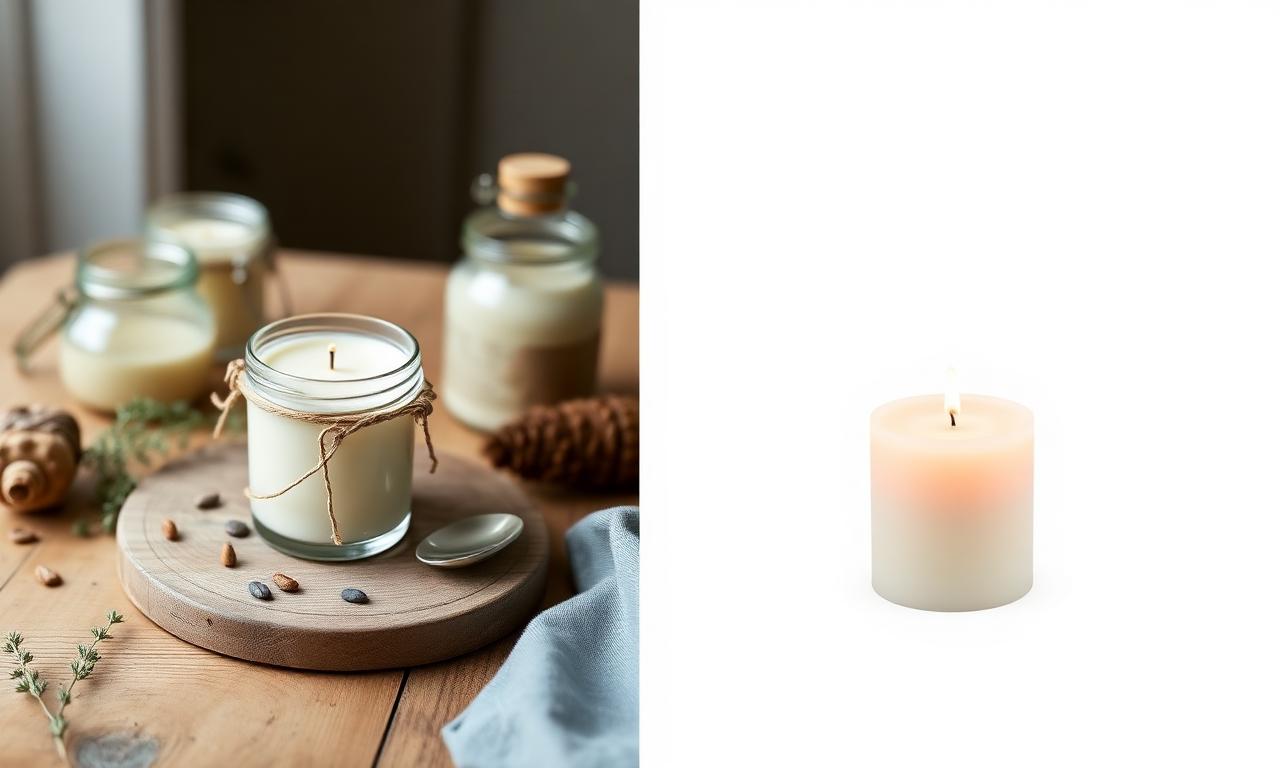
The 2026 Etsy photo workflow (free, 5 minutes per listing)
Step 1 — Shoot the photo
Don't overthink this. A modern smartphone in indirect window light produces enough quality for any Etsy listing. Shoot in your phone's highest-resolution mode, hold the camera steady, and try to keep the background contrasting with the product (a dark mug on a light table, a light necklace on a dark cloth). Contrast helps the AI segmentation model later. The full deep-dive on lighting and source quality is in our complete background removal guide.
Step 2 — Remove the background with free AI
Open MagicBG in your browser — Safari and Chrome both work on phone and desktop. Drag your photo into the upload zone. The first visit downloads a small AI model (about 80 MB) that gets cached for every subsequent photo. After that, each cutout takes roughly two seconds and runs entirely on your device. Nothing uploads to a remote server, which matters when you're processing unreleased product photos you don't want competitors scraping.
Step 3 — Place on a clean canvas
Open a free image editor like Photopea (a full Photoshop clone in your browser). Create a new 2000 × 2000 white canvas, paste your transparent PNG, center the subject, and leave roughly 10% padding on every side. Export as JPG at 85% quality. That single file becomes your hero image.
Step 4 — Build the supporting photos
Etsy lets you upload up to 10 photos per listing, and the top sellers use all of them. After your background-free hero shot, add lifestyle photos (the product in use), scale shots (the product next to a hand or coin), detail shots (close-ups of texture or stitching), and a packaging shot. The hero stays clean; the rest tell the story.
Step 5 — Upload and watch the click-through climb
Etsy's analytics dashboard shows you impressions and clicks per listing. After switching to clean background hero photos, most sellers see their click-through rate move up within two weeks as the algorithm re-tests their listings. That extra traffic is free — you paid nothing for the photo upgrade.
Handmade jewelry, ceramics, prints — what changes per category
Jewelry
Jewelry is the category where background removal pays off most. Tiny products at thumbnail size disappear into any busy background. Shoot earrings, rings, and necklaces against a contrasting cloth (black velvet for silver, white linen for gold), cut out cleanly, and place on pure white. Macro details belong in supporting photos, not the hero.
Ceramics and home goods
Mugs, vases, and bowls have reflective surfaces that confuse some older AI models. Modern segmentation handles them well, but shoot against a matte non-reflective background to keep edges clean. If you see jagged edges after cutout, our guide on fixing jagged edges covers the cleanup tricks.
Art prints and stationery
Flat items photograph well on any clean surface, but the search thumbnail wins when you present the print floating on white with a subtle drop shadow. Cut out the print in MagicBG, paste onto white, add a 5-pixel soft shadow in Photopea, export. Looks like a professional product render and takes under two minutes.
Candles, soaps, and small batch goods
Repetition wins. Photograph every variant in the same setup, cut them all out with the same tool, place each on identical white canvases. Your shop grid becomes a coherent brand statement instead of ten different photographers' work. Buyers who land on one of your listings then browse five more because the visual style feels intentional.
PNG vs JPG vs WebP for Etsy uploads
Etsy converts every uploaded image to JPG internally, so you don't need to ship PNGs. Upload JPG at 85–90% quality for the smallest file size that still looks crisp. The exception is when you need transparent backgrounds for off-platform uses (your own website, Pinterest, Instagram) — keep a PNG master alongside the JPG. The full tradeoff is broken down in PNG vs WebP for transparent images.
Image SEO inside an Etsy listing
Etsy's search doesn't read image alt text the way Google does on your own website, but image filenames and surrounding tags still matter for off-platform SEO when buyers find your shop via Google Image search. Rename your exported files descriptively — handmade-ceramic-mug-cream-12oz.jpg beats IMG_4837.jpg every time. Pair that with the 13 tags Etsy gives you per listing, and your shop slowly accumulates SEO equity across both Etsy's internal search and Google.
Mobile shoppers buy differently — design for thumbnails first
Roughly two-thirds of Etsy traffic in 2026 comes from mobile devices, and the mobile app shows listings as small square thumbnails in a 2-column grid. That means your hero photo needs to read instantly at about 160 pixels wide on a 6-inch screen. Lifestyle photos with subtle product placement disappear at that size. Clean cutouts on white dominate it. The same logic applies to adjacent platforms — when you cross-post products to social, the rules from our TikTok Shop product photos deep-dive carry over almost line-for-line.

Why on-device AI matters for sellers
The first wave of "free background remover" tools from 2018 onward all uploaded your photos to a remote server, ran the cutout, and returned the result. That worked, but it meant copies of every product photo you ever made ended up on someone else's S3 bucket — including new product launches, unreleased designs, and bulk orders for clients who paid for exclusivity. The 2026 alternative runs entirely on-device through WebGPU. The technical details of why on-device segmentation became viable are covered in our how AI background removal works breakdown, but the practical takeaway is simple: your photos never leave your browser.
Useful external resources for Etsy sellers in 2026
- Etsy Seller Handbook — official guidance on listings, SEO, and shop operations, updated quarterly.
- Photopea — free in-browser image editor; the closest thing to Photoshop without the subscription.
- TinyPNG — free PNG and JPG compressor that keeps your file sizes small without visible quality loss.
- eRank — third-party Etsy SEO and keyword research tool used by most top sellers.
- web.dev guide to LCP — Google's guidance on image performance, relevant if you also run an off-Etsy storefront.
Five mistakes I see in every underperforming Etsy shop
- Lifestyle hero photo with a busy background. Beautiful in a portfolio, invisible in a search thumbnail. Move it to position 2.
- Inconsistent backgrounds across listings. A shop grid that looks like five different photographers shot it kills trust. Pick one background, stick with it.
- Subject too small in the frame. Buyers can't see the product. Fill 70–80% of the square.
- Heavy color filter on the hero. Filters that look great on Instagram make customers expect a color they won't receive. Refunds and bad reviews follow.
- Watermarks on the cover photo. They scream "amateur." Etsy already protects your shop with its branding; you don't need to add yours on top.
Quick FAQ
Do I need Photoshop to remove backgrounds from Etsy photos?
No. A free in-browser AI tool like MagicBG handles the cutout in seconds, and a free editor like Photopea handles the canvas placement. Total cost: zero dollars per month.
Will Etsy penalize me for using AI on my photos?
Etsy's policy distinguishes between AI-generated products (regulated) and AI-edited photos of real handmade products (allowed and encouraged). Removing the background from a photo of your real product is the same category as cropping or color-correcting — completely fine.
What about animated cover photos?
Etsy supports a short looping video as the cover for each listing. A 5-second clip of the product rotating on a white background outperforms a static photo for tactile items (jewelry, ceramics, textiles). Same workflow: shoot, cut out each frame in batch, assemble as MP4.
How often should I refresh my product photos?
Reshoot any listing that has under-performed for 60 days. New hero photos trigger Etsy to re-test the listing in search, which often surfaces a click-through gain you wouldn't have spotted otherwise.
Bottom line
A clean, background-free hero photo is the single highest-leverage change an Etsy seller can make in 2026. It costs nothing, takes five minutes per listing, and compounds through Etsy's click-through algorithm into more impressions and more sales. Open MagicBG, drop in your next product photo, export the transparent PNG, and watch your shop start looking like a brand instead of a craft fair table.