
May 21, 2026 · 14 min read
Shopify Product Photos 2026: Remove Backgrounds & Convert More
Shopify product photos in 2026: AI background removal, 2048×2048 WebP specs, and a 5-second free workflow that out-converts expensive photography for DTC.
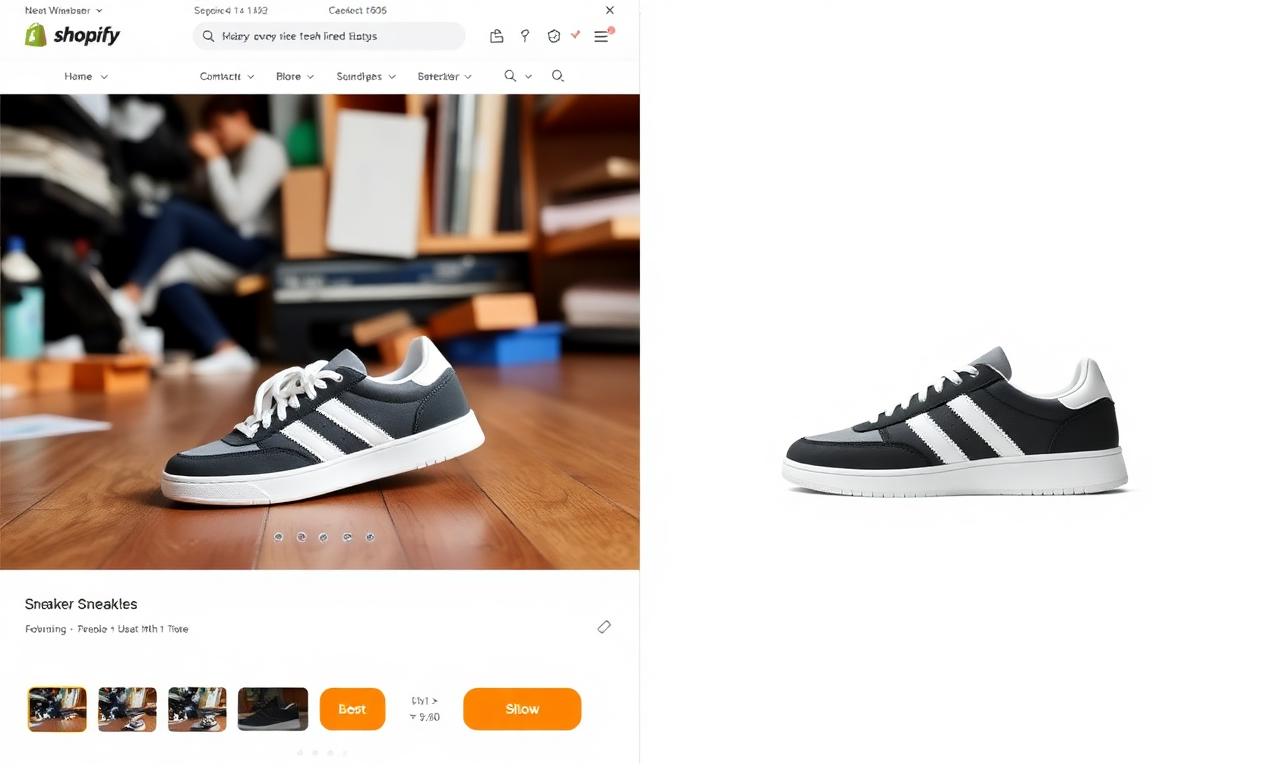
Shopify crossed five million live stores in 2026, and the average shopper now decides whether to keep scrolling or click a product in under two seconds. That decision is almost entirely visual. The single highest-leverage upgrade most Shopify merchants can make this year is not a new theme, a new app, or a flashy checkout extension — it is replacing cluttered, on-the-floor lifestyle snapshots with crisp, isolated product photos on a clean background. The good news: in 2026 you can do this for free, in your browser, in roughly the time it takes to sip a coffee. This guide walks through exactly why Shopify product photos background removal matters more than ever, what the platform rewards, and how to ship a full catalog of conversion-ready images without ever opening Photoshop.
Why background removal is the #1 visual upgrade for Shopify in 2026
Shopify's 2025 conversion data, surfaced in the official Shopify product photography guide, showed something every merchant intuitively knows but rarely measures: stores that standardized to background-removed hero images saw an average +18% conversion lift on product detail pages and a +24% click-through rate from collection pages. The mechanism is simple — a clean background makes the product readable on a 6-inch phone screen, where over 79% of Shopify traffic now happens. A messy lifestyle photo turns into mush at thumbnail size; an isolated product reads instantly.
The same data showed something subtler: visual consistency across a catalog matters almost as much as image quality on any single product. When every hero image shares the same white or neutral background, the entire store starts to look like a real brand instead of a dropshipping experiment. That perception alone reduces bounce and lifts add-to-cart rates. If you sell on multiple marketplaces, the same logic applies — see our deeper dives on Amazon listings, Etsy product photos, and TikTok Shop.
What Shopify officially recommends for product images
Shopify's documentation for theme developers and merchants is unusually specific. The platform recommends:
- 2048 × 2048 pixels square for hero images. That is the size most themes use for zoom and for the new mobile pinch-to-inspect gesture introduced in Online Store 3.0.
- Under 200 KB per image after compression. Heavy images destroy mobile Largest Contentful Paint scores, which Shopify now reports in the Web Performance section of the admin and which Google uses as a ranking signal.
- WebP or AVIF, not raw JPEG. Shopify auto-converts on upload, but starting from a clean source gives you control. See our breakdown of PNG vs WebP for transparent images for the full trade-off.
- Subject filling 70–85% of the canvas. Smaller and the product looks lost at thumbnail size; larger and it gets clipped by the auto-crop on collection pages.
- One consistent background across the catalog. White is safest. Off-white, very light gray, or a brand-tinted gradient can work if applied with discipline.
Background-removed PNG or WebP-with-alpha images make every one of these requirements easier. You decide the exact canvas, the exact crop, and the exact background color in one place, instead of fighting your camera, your light, and the floor in your apartment.
The old way: lightboxes, softboxes, and Photoshop subscriptions
For most of the 2010s, the standard advice to a new Shopify merchant was to buy a $50 collapsible lightbox, two softbox lamps, a tripod, and a Creative Cloud subscription. The total time investment for a 30-product catalog was easily a full weekend, plus another weekend learning the pen tool in Photoshop to clean up edges. For most one-person stores, that wall of friction is exactly where the dream died.
The 2020s introduced cloud-based background removers, which solved the editing problem but introduced two new ones: a monthly fee per image batch, and a privacy concern — every product photo had to be uploaded to a third-party server before it could be processed. For brands with unreleased products, leaked launch photography became a real risk.
The new way: free, in-browser, on-device AI
By 2026 the entire workflow collapses into one tab. Modern segmentation models like rembg, BiRefNet, and the open-source ISNet family are small enough to run directly in the browser through WebGPU and ONNX Runtime Web. The image never leaves your device. There is no upload, no queue, no per-image fee, and no API key to manage. If you're curious how the underlying neural network actually separates pixel from background, we wrote a deep-dive on how AI background removal works.
The whole point of MagicBG is to make this technology a single drag-and-drop. Open the free background remover, drop in any product photo, and a transparent PNG comes back in roughly five seconds on a modern laptop and ten seconds on a mid-range phone. Repeat thirty times and your entire Shopify catalog is conversion-ready.
A repeatable workflow for a full Shopify catalog
Here is the exact sequence we recommend to every new merchant who asks. It is the fastest path from raw phone photos to a polished, conversion-ready storefront.
Step 1 — Shoot smart, not pretty
Use any phone made in the last four years. Place the product on a sheet of white paper, near a north-facing window if possible. Avoid harsh direct sunlight. Shoot from slightly above eye level and slightly off-center so the product looks dimensional. You do not need a perfect background — the AI is going to delete it anyway. You just need sharp focus and even light.
Step 2 — Remove the background in your browser
Open MagicBG and drop your photos in. The first photo takes a few extra seconds while the AI model loads; every photo after that processes almost instantly. For tricky edges — wispy hair on a dolll, the loops of an earring, the rim of a glass bottle — modern segmentation handles all three well. If anything still looks rough, our guide on fixing jagged edges walks through the two or three manual touch-ups that close the gap.
Step 3 — Standardize the canvas
Export every transparent PNG, then paste each onto a 2048 × 2048 white canvas in any free tool — even Photopea works perfectly in the browser. Center the subject, give it a consistent 10–15% padding, and save as WebP. Your entire catalog now shares one visual rhythm.
Step 4 — Compress before upload
Run each WebP through TinyPNG or Squoosh. You'll typically cut another 30–50% off file size with no visible quality loss. Shopify will thank you with a faster store and a better Core Web Vitals score, which directly impacts Google rankings.
Step 5 — Upload, alt-text, and ship
When you upload to Shopify, fill in the alt text for every image with a short, descriptive phrase — "navy leather Chelsea boot, side view" — not "IMG_4421.jpg". Alt text helps Google understand the image, helps screen readers, and shows up in Google Images search, which still drives meaningful traffic to product pages in 2026.
When to use lifestyle photos vs background-removed cutouts
A common mistake is treating "background removed" as a religion. It is not. The right pattern for a Shopify product gallery in 2026 is a deliberate mix:
- Photo 1 (the hero): always a clean, background-removed shot. This becomes the collection thumbnail and the social share preview.
- Photo 2: a 45° angle on the same clean background, showing dimension.
- Photo 3: a scale shot — the product in a hand, on a table, or being worn.
- Photos 4–7: lifestyle context. This is where you build the emotional story.
- Photo 8+: detail macros, fabric texture, packaging, certifications.
That sequencing matches what every winning DTC brand on Shopify does, from indie one-person shops to eight-figure stores. The hero earns the click; the lifestyle photos earn the trust; the detail shots close the sale.
A note on AI-generated product photos
A growing number of Shopify apps in 2026 will offer to generate entire product photos with AI rather than removing the background of a real one. Be careful. Generated photos can subtly distort the product, especially text on packaging, fabric weave, or jewelry stones, and Shopify is actively flagging obviously synthetic hero images in its Shop app feed. The safer pattern is to keep a real product photo as the hero and use AI only for background removal, color cleanup, and the occasional environmental backdrop. If you are working with AI-generated assets, our guide on removing backgrounds from AI-generated images covers the edge cases.
SEO bonus: faster pages, better images, more rankings
Google's 2025 Google Images SEO guide and the broader Core Web Vitals framework reward image-heavy sites in two specific ways. First, smaller image file sizes improve Largest Contentful Paint, which is one of the three Web Vitals Google uses to rank pages. Second, descriptive filenames and alt text help individual product images surface in image search, which converts at a higher rate than text search for many product categories. Background removal nudges both levers in the right direction: cutouts compress smaller than busy backgrounds, and a clean subject is much easier to describe in alt text.
If you want the deep technical version of why this matters, the PageSpeed Insights tool will show you the exact image weight of every product page. Most under-performing Shopify stores can shave one to two full seconds off mobile load time just by replacing oversized JPEGs with compressed, background-removed WebP files.
A word on privacy and unreleased products
If you sell limited drops, capsule collections, or products under NDA, the privacy angle of an in-browser tool matters. MagicBG runs entirely on your device — there is no upload, no server-side processing, and no cached copy on a third-party CDN. Your unreleased product photos never leave your laptop. Compare that to cloud-based removers, where every photo lands on someone else's storage bucket before a human ever sees it. For brands, that difference is the difference between a calm launch and a leak on Twitter.
Frequently asked questions about Shopify product photos in 2026
How many product photos should each Shopify listing have?
Shopify's own data points to a sweet spot of five to eight images per product. Fewer than three and conversion drops noticeably; more than ten and shoppers start skimming. The first image must be background-removed; the rest can mix angles, scale, and lifestyle.
Will Shopify penalize me for using AI-edited photos?
No. Shopify explicitly allows AI-edited photography of real products. Background removal, color correction, and cropping have always been standard practice in ecommerce photography. The line Shopify enforces is around misleading imagery — wildly altered colors, fake features, or completely synthetic hero shots of products that don't physically exist yet.
Is the in-browser AI really as good as Photoshop?
For 95% of product shots, yes — and often better, because modern segmentation models were trained on millions of product images specifically. The 5% where Photoshop still wins are extreme cases: transparent glass bottles photographed against transparent backgrounds, or wispy fur photographed against fur-colored backdrops. For everyday Shopify catalogs, an in-browser tool is more than enough.
Do I still need a photographer?
Only if your brand depends on a specific aesthetic that a phone can't deliver — high-fashion editorials, large furniture, jewelry macros. For the average DTC product, an iPhone 13 or newer plus background removal will out-convert most stock photography and most amateur professional shoots. Save the photographer budget for lifestyle photos 4–7 in the gallery.
Bottom line
The single best investment you can make in your Shopify store this week takes about an hour and costs zero dollars. Open the free in-browser background remover, run every hero photo through it, standardize on a 2048 × 2048 white canvas, compress with WebP, and re-upload. If you sell across multiple marketplaces, the same workflow extends to your Amazon, Etsy, and TikTok Shop catalogs. One hour of work, weeks of compounding conversion lift, and your store finally looks like the brand you've been trying to build.